
Class Visits at the Library
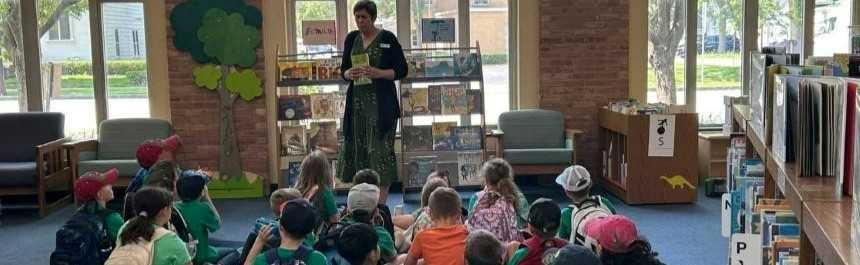
Local Library
If you are interested in having your class visit your local library please reach out to them directly via email or phone. You can find the contact information by going to our Locations + Hours and then choosing your desired location.
Central Library
All students are welcome to visit the Central Library. Visits can be customized to meet the needs of your specific group. Our basic tour includes a walk-through, description of collections, and Launch Pad Makerspace.
Grades PK - 6: Optional Activities
- Read-aloud stories
- Theme-based activity
- Tour of Children’s Room
- Library cards
Grades 7 - 12: Optional Activities
- Guided tour at the Launch Pad Makerspace
- Tour of Teen Space
- STEM activity
- Library cards
- Tour requests must be received at least 2 weeks in advance
- Dates and times available are subject to staffing
- Allow (2-3) business days for a response to your request
Accommodations
All public spaces are accessible for persons using mobility aids or wheelchairs; however, the building is large, covering two city blocks. Let us know if anyone on the tour will require accommodations.
Getting Your Students Library Cards
Cards Distributed at Visit (NYS residents, K -12 schools)
Follow the steps below to ensure Library cards will be ready to distribute at your visit.
- Download and print applications, call (716) 858-8900 Monday – Friday 9:00 am – 5:00 pm, or email askus@buffalolib.org to have forms mailed to you.
- Distribute forms for the student’s parent/legal guardian to fill out.
- Collect the completed forms and check for: parent/legal guardian signature for all students 16 and younger and clarify any text that may be difficult to read.
- As the teacher, please initial each completed Library card application under the parent/legal guardian signature to affirm you have verified the information for each student.
Return completed forms to the library with a note containing the date/time of your visit, school information and your contact information at least (10) business days before your visit.
Cards Mailed to Student’s Home Address (NYS residents, K-12 schools)
Parent/legal guardian or student can apply for a Library card online.
- Parent/legal guardian or student can apply online. Student must have permission from parent/legal guardian.
- The parent/legal guardian will receive the child’s new Library card number via email.
- Once processed, a Library card number is emailed for digital access and a physical card is mailed to the student’s residence.
Students can apply for a digital Library card online without parent/guardian permission.
- Once processed, a Library card number is emailed to the student for digital access and a physical card is mailed to the student’s residence.
- These cards only allow digital access to eBooks and audiobooks, get homework help using the Library’s databases and other electronic resources. If the parent/legal guardian wishes to give the student permission to check out physical materials they must visit their local library with their child and appropriate ID.